

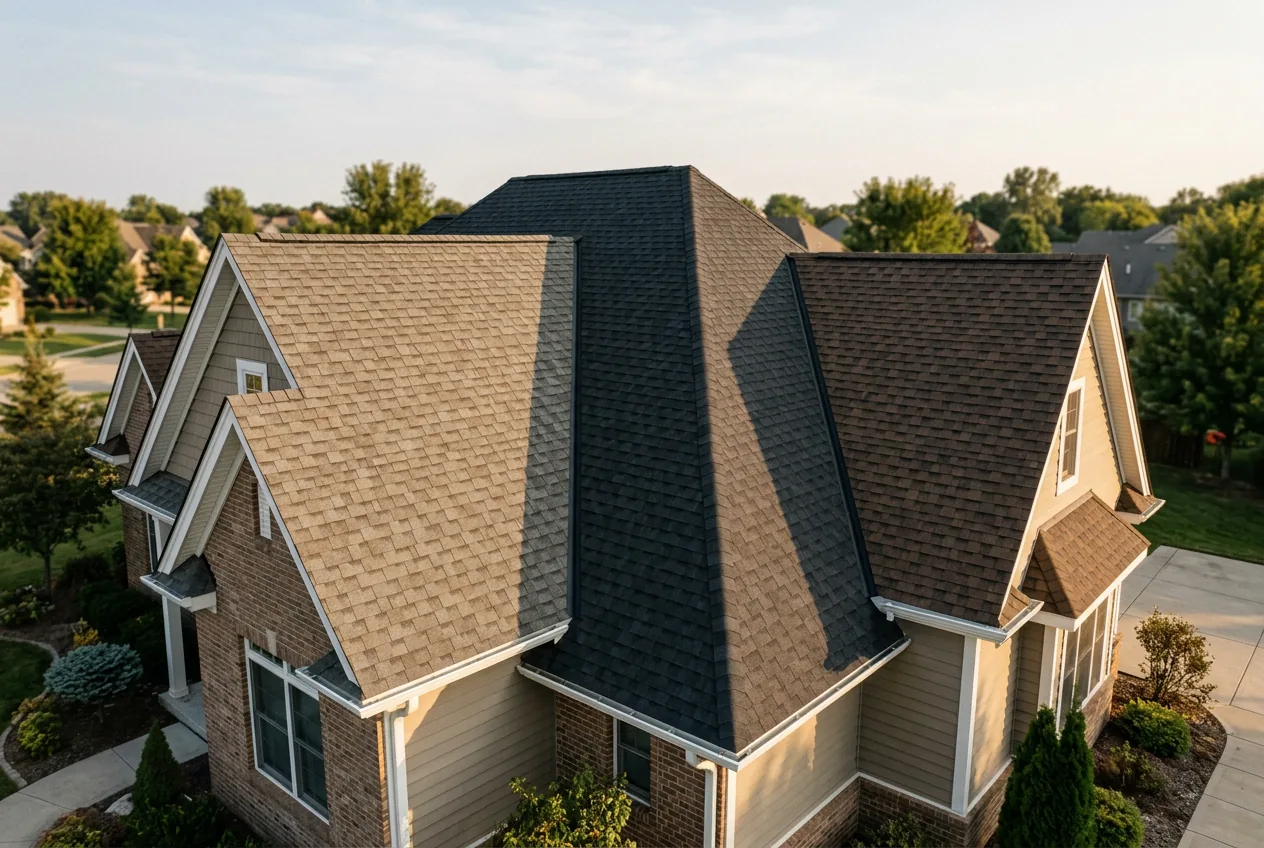
6 Roof Shingle Color Visualizers to Try in 2026
October 20,2026

The best roof shingle color visualizer should help you compare roofing options on your own house. GetRoofReport is our top pick for comparing named shingle products across brands without a signup or email gate. This list compares six options, including free tools, limited free previews and a contractor-connected visualizer.
We reviewed published product information in October 2026. Rankings reflect our editorial assessment, rather than hands-on testing.
How we picked
We compared six tools on four practical questions: what photo you can use, what is free, whether signup is required, and whether the preview uses named shingle products.
- Starting Photo: Your own house photo lets you judge a roof color alongside the siding, brick and trim you already have. Sample houses are useful for an initial look.
- Free Access: A free preview, a limited credit allowance and an unrestricted tool offer different amounts of room to experiment. We identify the published limits rather than treating them as equivalent.
- Signup Requirements: We distinguish a stated no-signup experience from an account requirement or a requirement that has not been confirmed.
- Shingle Catalog: Named manufacturer products help connect a preview to a roofing quote. AI-generated material concepts are useful for exploring a look, but do not establish an exact product match.
We gave the most weight to using your own photo and comparing identifiable shingle products. Free access and signup requirements also informed the recommendations. Features below come from the cited providers; unclear or conflicting details are identified.
How they compare
| Tool | Starting Photo | Free Access | Signup Requirements | Shingle Catalog |
|---|---|---|---|---|
| GetRoofReport (Top pick) | Your own house photo | Free; no trial or paywall | No account or email | 7 manufacturers; 24 lines |
| Roofle + Renoworks Pro (Also great) | Contractor’s linked project | Standalone free access not confirmed | Contractor accounts required; homeowner requirements unconfirmed | Contractor-configured products |
| GenRoom (Also great) | Your own house photo | 6 free credits advertised | Provider pages conflict; check workflow | Generated materials and colors |
| Pixelcut (Also great) | Your own house photo | Free experimentation advertised; allowance unconfirmed | Not confirmed | Prompt-based roof concepts |
| BP Canada (Also great) | Your own house photo | Free | Not confirmed | BP shingle styles and colors |
| Renoworks (Also great) | Your own photo or sample home | Selected products free; full catalog paid | No signup to start, per provider | Real products from multiple brands |
1. GetRoofReport shingle visualizer
Top pick for comparing named shingle products across brands.
GetRoofReport lets you upload a house photo and preview roofing products without creating an account or providing an email. Its published library covers seven manufacturers and 24 shingle lines. Comparing the products on competing quotes in one place is its main advantage.[1]
The provider describes automatic roof masking with manual edge adjustments. Treat the result as a visual planning aid and confirm the final product with your roofer.
- Starting Photo: Upload your own house photo.
- Free Access: Free; the provider states there is no trial or paywall.
- Signup Requirements: No account or email required to visualize, save or share.
- Shingle Catalog: GAF, Owens Corning, CertainTeed, IKO, Malarkey, Atlas and TAMKO.
What to consider: Photos are deleted from the servers within 24 hours unless you choose otherwise.
2. Roofle with Renoworks Pro
Roofle documents a Renoworks Pro integration that adds visualizer links to a contractor’s roofing product cards. This is a contractor-connected route to product previews; the documentation does not establish a standalone, universally free homeowner tool.[2]
- Starting Photo: The image workflow depends on the contractor’s linked Renoworks project.
- Free Access: A standalone free homeowner version was not confirmed. The documented integration requires RoofQuote PRO and Renoworks Pro accounts.
- Signup Requirements: Homeowner requirements were not confirmed.
- Shingle Catalog: Determined by the contractor’s configured product links.
What to consider: Consider something else if you want to see a specific brand’s shingle lines before you start.
3. GenRoom Roof Design AI
GenRoom generates roof concepts from a house photo, with six material categories including asphalt shingles, metal and tile. It is useful for exploring color and material ideas rather than selecting an exact manufacturer’s shingle line.[3]
- Starting Photo: Upload a daylight house photo showing the roof; the provider recommends an image at least 1024 pixels wide.
- Free Access: Six free credits are advertised; confirm how many previews your selected action uses.
- Signup Requirements: The roof page says no signup, while other provider pages describe signup credits. Check the live workflow.[4]
- Shingle Catalog: Generated material and color concepts; named shingle product matching is not established.
What to consider: Consider something else if you would rather not create an account.
4. Pixelcut AI Roof Design Generator
The Pixa roof-generator URL currently redirects to Pixelcut’s AI Roof Design Generator. Upload a house photo and describe the material, color and roof style you want. It generates a design concept rather than selecting a named shingle product from a manufacturer catalog.[5]
- Starting Photo: Upload a clear exterior photo showing the whole roof.
- Free Access: The roof page advertises free experimentation; a fixed free-use allowance was not confirmed.
- Signup Requirements: Not confirmed in the reviewed roof-tool instructions.
- Shingle Catalog: Prompt-based material and color concepts, including asphalt shingles, metal and tile.
What to consider: Consider something else if you want to pick from real shingle product lines rather than describe a roof in text.
5. BP Canada Visualizer
BP Canada’s visualizer previews its own shingle styles and colors on a house photo. It is a focused option when BP products are already on your shortlist, with separate eastern and western Canadian versions.[6]
- Starting Photo: Upload a photo of your own house.
- Free Access: Free, according to BP Canada.
- Signup Requirements: Not confirmed in the reviewed instructions.
- Shingle Catalog: BP shingle styles and colors.
What to consider: Consider something else if you are shopping for a home outside Canada.
6. Renoworks Roof Designer Tool
Renoworks offers a browser-based roof designer using real roofing products. You can upload your home or start with a sample, then preview a selection at no cost. It is an additional option for product-based comparisons, with full catalog access reserved for contractor and manufacturer plans.[7]
- Starting Photo: Your own house photo or a sample home.
- Free Access: A selection of products is free to preview; full catalog access requires a professional plan.
- Signup Requirements: Not established by the third-party sources reviewed.[8]
- Shingle Catalog: Real roofing products from multiple manufacturers; the free selection may differ from the full catalog.
What to consider: Consider something else if you want the full catalog without a contractor plan.
How to get an accurate preview
Use previews to narrow your shortlist, then check the actual shingle samples. A clear starting photo makes comparisons easier.
- Take a clear, front-facing daylight photo with even lighting.
- Keep the whole roofline visible, including chimneys, dormers and skylights.
- If the tool offers masking controls, check the roof outline before comparing colors.
- For product-based tools, choose the shingle lines on your quote. For AI concepts, ask your roofer which available products resemble the result.
- Order physical samples of your final two or three colors and view them outside in sun and shade before you sign.
Our recommendations
Top pick: GetRoofReport for comparing named shingle products across brands without signup.
Also great: Renoworks for real-product previews, and BP Canada when you are considering BP shingles.
For design ideas: GenRoom and Pixelcut for exploring material and color concepts. Roofle is worth checking if your contractor provides its Renoworks integration.
Frequently asked questions
Which roof shingle color visualizer should I start with?
Start with GetRoofReport for cross-brand shingle comparisons, BP Canada for BP products, or Renoworks for its free product selection. GenRoom and Pixelcut are alternatives for exploring a broader roof concept.
What does a roof color visualizer do?
It shows how a different roof color or material could look on a house photo. Some tools apply named roofing products; others generate an illustrative design from a prompt.
Are roof color visualizers free?
Some are free, while others limit credits, product access or downloads. Check the specific tool’s free-use terms before planning multiple previews.
What kind of photo should I use?
Use a clear daylight photo with the whole roof visible. A front-facing view with even lighting makes it easier to compare the roof against your existing exterior.
Does it work on mobile and desktop?
GetRoofReport describes a browser-based visualizer with mobile photo uploads. Check device and upload requirements before using any other tool.
How accurate are roof visualizers compared with real shingles?
Use them to narrow choices, not approve an exact color match. View physical samples outdoors in sun and shade before ordering.
Do I need to sign up or create an account?
Requirements vary. GetRoofReport states that no signup or email is needed; other tools may have account requirements or limits on free access.
Sources
- https://getroofreport.com/roof-visualizer/
- https://hookagency.com/blog/roofle/
- https://dupple.com/learn/best-ai-landscape-design-tools
- https://dupple.com/learn/best-free-ai-room-design-tools
- https://www.aichatdaily.com/tools/pixelcut
- https://dynamicroofing.ca/visualize-your-roof-shingles-before-they-are-installed/
- https://colonyroofers.com/learningcenter/what-are-roofing-visualizers
- https://stockanalysis.com/quote/tsxv/RW/company/
